A countdown timer you run from your Stream Deck
Hakol Timer ships its own Bitfocus Companion module and installs it for you. Add the connection in Companion and you have GO, pause, reset and set-time buttons, live time variables and buttons that change colour with the countdown.
Set up in a minute
- Install Hakol Timer — the Companion module is copied into Companion's module folder automatically. You need Bitfocus Companion 4.2 or later; restart Companion once so it loads the module.
- In Companion, add a connection for Hakol Timer and point it at the timer computer.
- Drag the ready-made presets onto your Stream Deck pages.
What you get
- Buttons — GO, pause, reset, set-time, and combined "set 10 minutes and start" buttons.
- Jog — nudge the time up or down by minutes, running or not.
- Variables — remaining time (hh:mm:ss, hh:mm, hours, minutes, seconds), running state and display mode, for button text or other modules.
- Feedback — button colours follow the zones and colours you set in the app, so the keys match the screen.
- Reconnects by itself — restart Hakol Timer and the keys work again within seconds; while it is closed the connection shows yellow, not an error.
Prefer OSC?
Hakol Timer listens for OSC on UDP port 7000 and can send state feedback back to
your controller, each value on its own /feedback/* address. That makes it easy
to drive from QLab, a lighting desk or a custom control surface. Common commands:
| Address | Action |
|---|---|
/timer/start | Start the countdown |
/timer/pause | Pause |
/timer/toggle | Start / pause |
/timer/reset | Reset to the set duration |
/timer/set | Set the duration |
/timer/add/minute | Add a minute |
/timer/sub/minute | Take away a minute |
/timer/preset | Load a preset |
/timer/countup | Count-up mode |
/display/style | Switch style: digits, ring, bar, dots, flip |
/message | Send a message to stage |
/message/clear | Clear the message |
/cue/next | Next cue |
/cue/prev | Previous cue |
/cue/go | Load and start the next cue |
The full list, with arguments, is in the app under Settings → OSC.
More than a button box
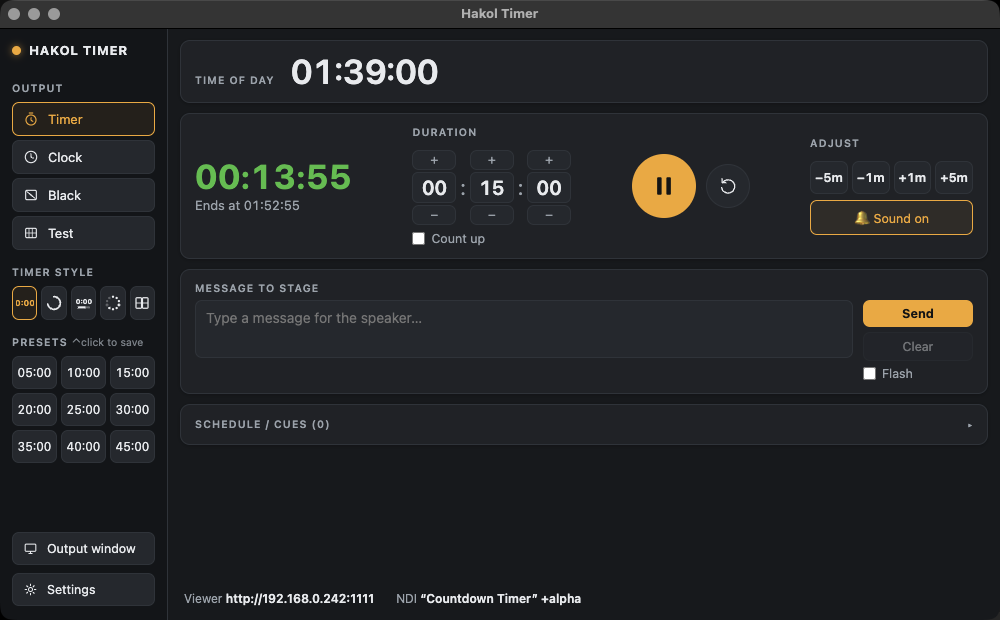
The same timer feeds a full-screen stage output, an NDI source and a browser viewer for phones and confidence monitors.
Frequently asked
Can I control a countdown timer from a Stream Deck?
Yes. Hakol Timer includes a Bitfocus Companion module, so a Stream Deck connected to Companion can start, pause, reset and set the timer, and show the remaining time on its buttons.
Do I need to install the Companion module myself?
No. Hakol Timer installs its module into Companion automatically. It needs Bitfocus Companion 4.2 or later; restart Companion once after installing so it loads the module.
Which OSC port does Hakol Timer use?
UDP port 7000 by default. It can also send state feedback back to your controller.
Can the Stream Deck show the remaining time?
Yes. The module exposes the remaining time as variables (hh:mm:ss, hh:mm, hours, minutes and seconds) that you can put on any button.
Try it on your next show
Hakol Timer is free for Mac and Windows. Create an account and download it in under a minute.
Made by Hakol Sound for the live-production community · Terms · Privacy · Accessibility