An NDI countdown timer — with alpha — for your video system
Hakol Timer publishes the live countdown as an NDI source. Pick it up in vMix, OBS, Resolume Arena, TriCaster or any NDI-ready system on the network — no capture card, no extra cable.
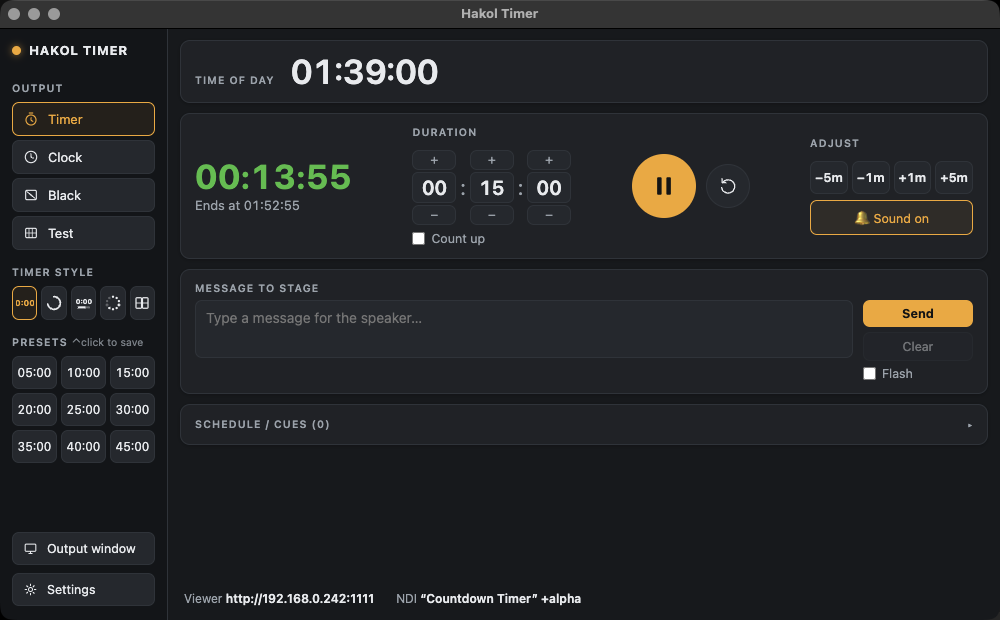
A clean video source, over the network
The timer is rendered off-screen and sent as NDI frames, so it does not depend on a spare monitor output. Resolution and frame rate are configurable, and the source name is yours to set, so it is easy to find in a busy NDI list.
Alpha channel for keying
Turn on the transparent background and the NDI stream carries a real alpha channel. Lay the countdown straight over your programme, a lower third or an LED wall layout in Resolume or vMix — no chroma key needed.
Where it is used
- Live streams — show a "starting soon" countdown or the session timer in OBS or vMix.
- LED walls — map the timer into Resolume Arena alongside the rest of the content.
- IMAG and broadcast — give the director a timer source for the multiview.
- Hybrid events — the same timer on stage, on the stream and on remote presenters' screens.
One timer, all outputs
NDI runs alongside the full-screen output window and the browser viewer, all showing the same countdown in any of the five styles: digits, ring, bar, dots or flip clock. Control it from a Stream Deck or over OSC.
NDI® is a registered trademark of Vizrt NDI AB.
Frequently asked
Can I send a countdown timer over NDI?
Yes. Hakol Timer publishes the timer as an NDI source that vMix, OBS, Resolume, TriCaster and other NDI-ready systems can receive.
Does the NDI timer support transparency?
Yes. With the alpha option enabled the background is transparent, so the timer can be keyed over other video.
Can I change the NDI resolution and frame rate?
Yes. Both are configurable in the app settings.
Do I need a capture card?
No. NDI travels over the regular network.
Try it on your next show
Hakol Timer is free for Mac and Windows. Create an account and download it in under a minute.
Made by Hakol Sound for the live-production community · Terms · Privacy · Accessibility